In the Tango API, you can find both account identifiers and customer identifiers under Accounts.
-
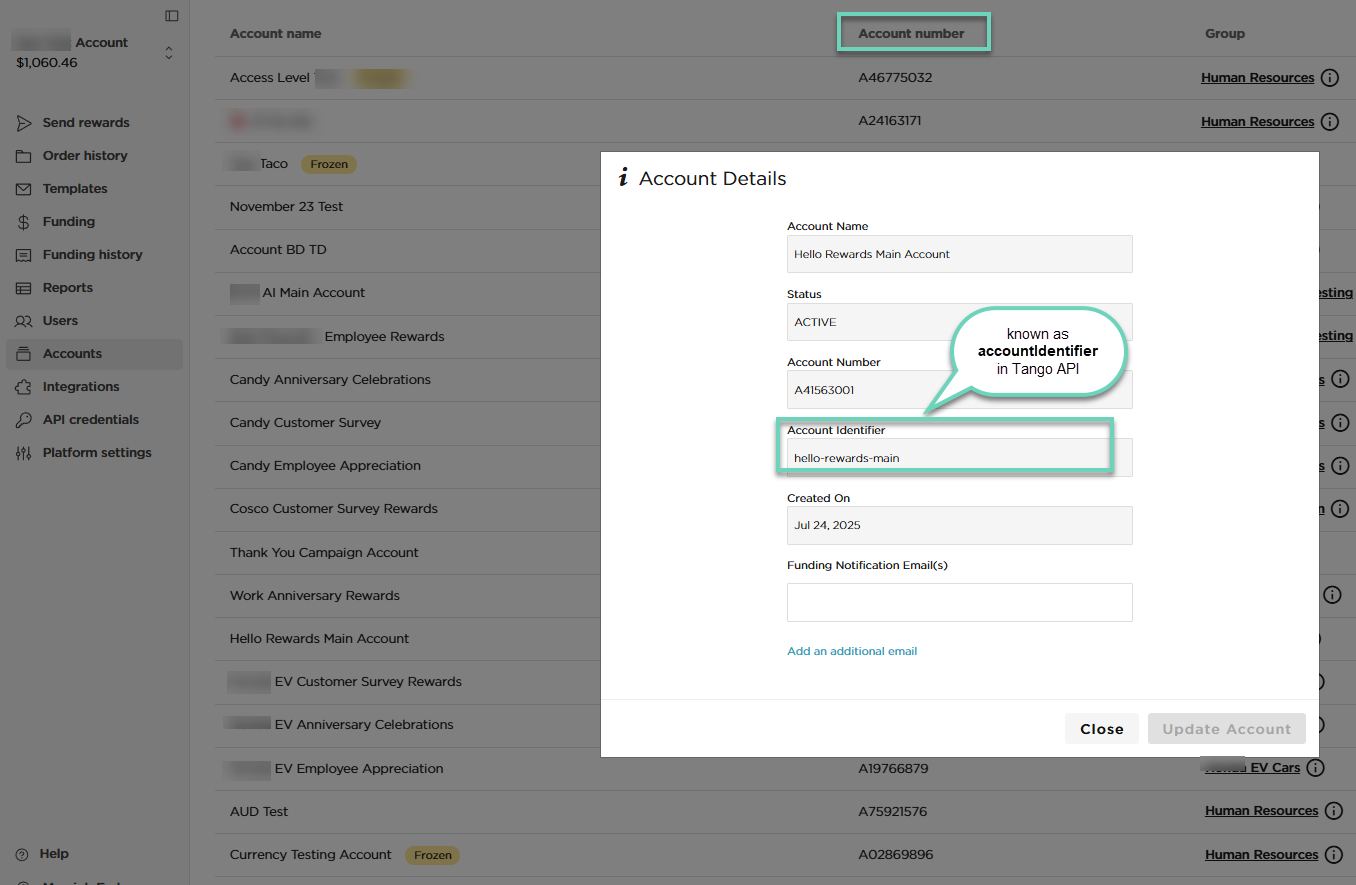
accountIdentifier is the unique account ID that tells the Tango API exactly which account you are transacting from. It matches the Account Identifier field in the Tango portal.
-
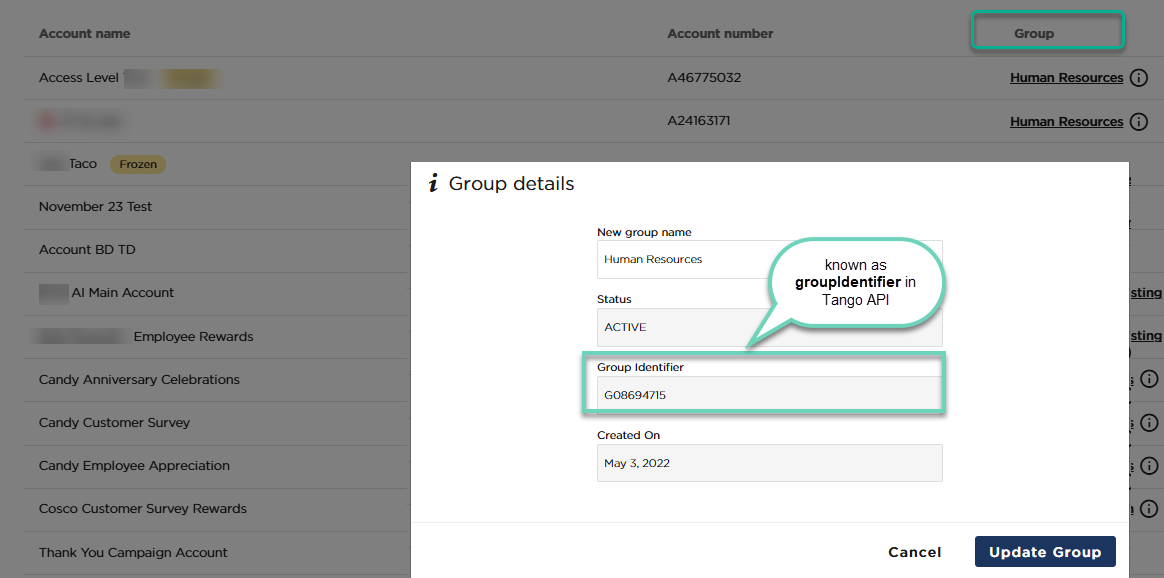
customerIdentifier is the unique ID for the customer (also known as group) in the Tango API. It specifies which customer or group contains the account you are working with. The customer identifier in the API matches the Group Identifier field in the Tango portal.
Note:
Tango API will soon rename “Customers” to “Groups” in its endpoints.
Find account identifiers in the Tango portal
The Account identifier appears under Account details in the Tango portal. This value may be different from the Account Number shown on the same page. When making API calls, be sure to use the account identifier, not the account number. You can obtain the account identifier either by viewing it in the portal or by retrieving it through the API. Learn more about Account identifiers in API.
To find an account identifier:
-
Sign in to the Tango portal.
-
Click Accounts on the left menu.
-
Find the relevant Account name in the list.
-
Click the Account name or Account number to open Account details.
-
Locate the Account Identifier. This value corresponds to the accountIdentifier field in the Tango API.
Find customer identifiers in Tango portal
The Group identifier appears under Group details in the Tango portal. Use this value as the customerIdentifier when calling the Tango API. Tango API will soon rename “Customers” to “Groups” in its endpoints. You can retrieve customer (group) identifier via the API or check group details in the Tango portal. Learn more about Customer identifiers in API.
To find a customer identifier:
-
Sign in to the Tango portal.
-
Click Accounts on the left menu.
-
In the list, locate the relevant Group name.
-
Click the Group name to open Group details.
-
Locate the Group Identifier. This value corresponds to the customerIdentifier field in the Tango API.
More resources