The Orders page in the Tango portal lets you search and view sent orders and the line items within each order. From this page, you can search for specific orders and line items, view line items details and history, and filter orders and line items by various criteria. To access your orders in the Tango portal, go to Order history > Orders.
To manage your orders and line items such as freeze, cancel, reissue, resend rewards, view and print QR codes, see Manage reward orders with Tango.
To search and filter reward orders with Tango:
-
Sign in to the Tango portal.
-
Click Order history on the left menu.
-
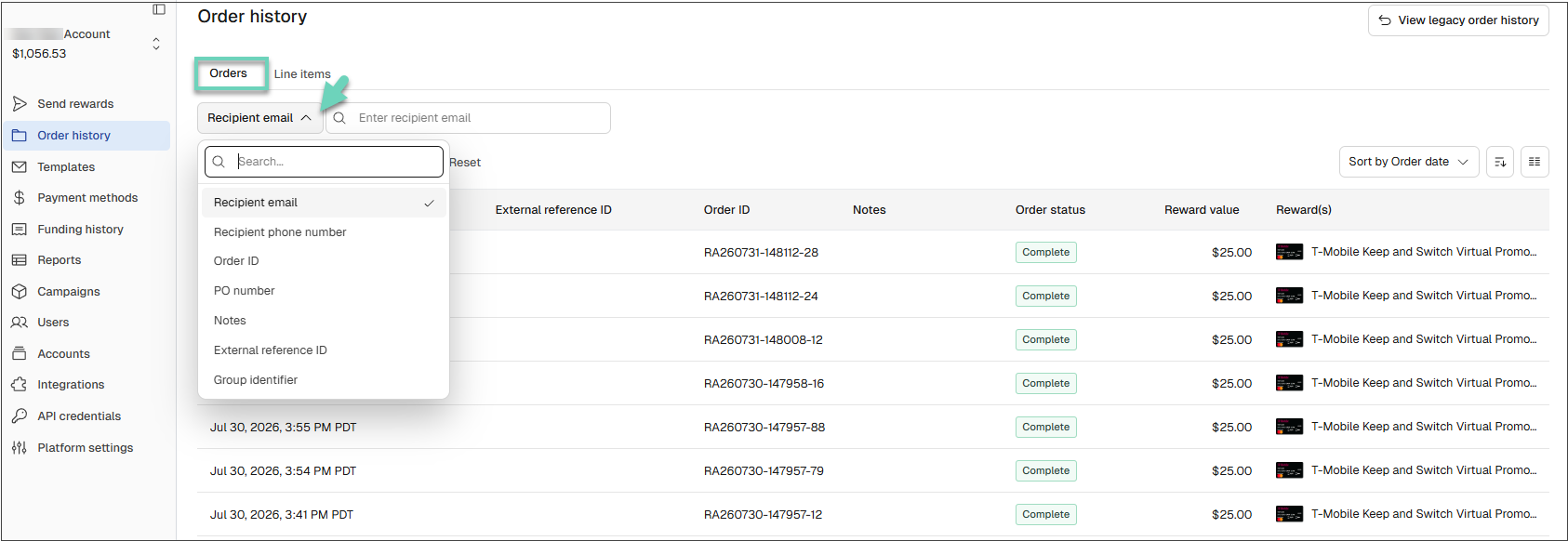
Select a search category such as Recipient email or any of the following categories. Use the table below to choose the most appropriate search category:
|
Search Category
|
Purpose
|
|---|
|
Recipient email
|
Search for the email address where the reward was originally sent.
|
|
Recipient phone number
|
Search using the recipient’s phone number.
|
|
Order ID
|
Search for a specific reward line item by its order ID.
|
|
PO number
|
Search using the purchase order number (optional, for internal tracking).
|
|
Notes
|
Search by an optional custom field entered at the time of ordering.
|
|
External reference ID
|
Search using the external reference your system passes via API.
|
|
Group identifier
|
Search for orders processed under a specific group identifier.
|
-
Enter the full value in the search box and press enter or click the magnifying glass  . You may get multiple pages of results. If needed, scroll the page horizontally to see all displayed columns.
-
Click Reset to remove all filters and view the full list of rewards.
Note:
-
You must enter the full value you are searching for (for example, the entire email address or full phone number).
-
Make sure the correct search category is selected; if Recipient email is selected and you type a name, no results are returned.
-
A space before or after the email address will return no results.
-
Search is not case-sensitive.
Customize columns and pagination
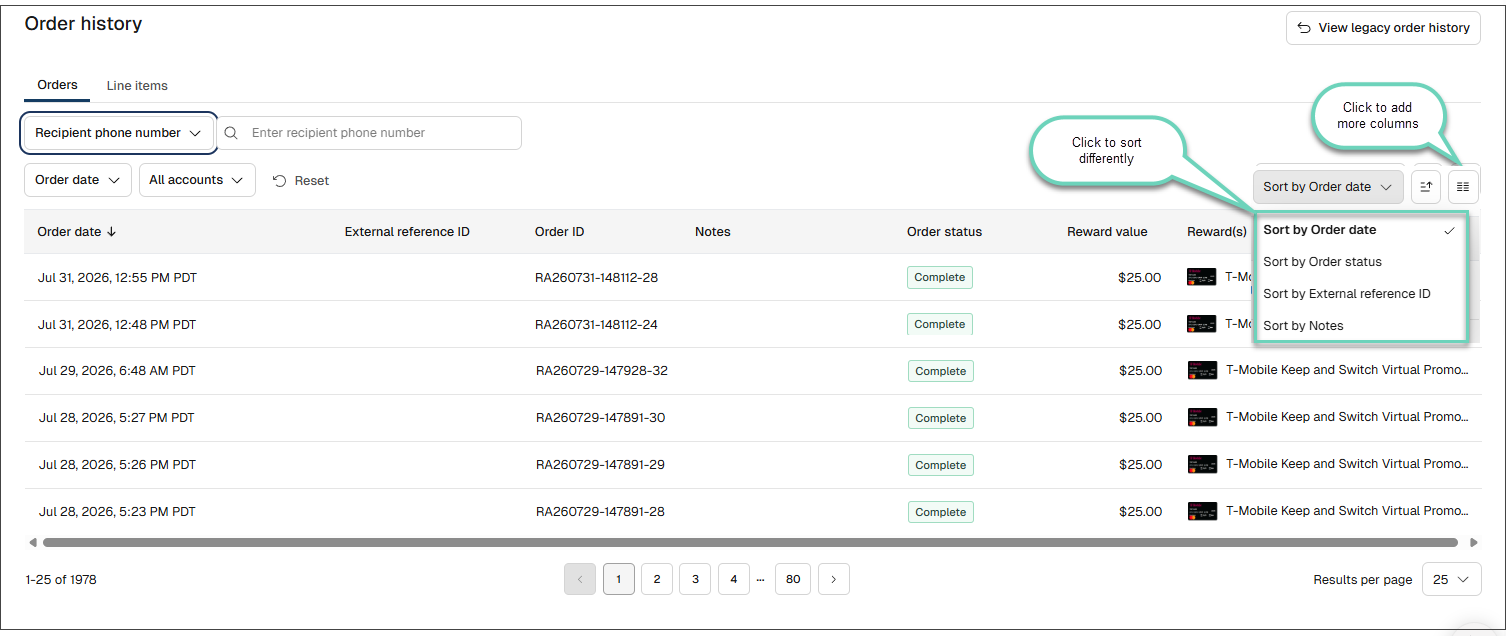
- Click the hamburger menu :hamburger-menu: in the table's upper-right corner to select columns.
-
Drag and drop columns to rearrange their order.
-
Scroll the page horizontally to see all visible columns.
-
Use the Rows per page to select 100, 200, or 500 rows per page, then use the page arrows to move between pages.
Filter by date issued
-
Click Order date.
-
Select a date range for when the reward was issued. For a single day, click the same date twice.
-
Click Reset to clear all filters and return to the full list of rewards.
Filter by Tango account
-
Click All accounts to search across all Tango accounts created on this platform.
-
Or click This account only to search only within the current Tango account.
To manage your orders and line items such as freeze, cancel, reissue, resend rewards, view and print QR codes, see Manage reward orders with Tango.
More resources