You can stop using the Tango–HubSpot integration, either by disconnecting the integration from the Tango Portal or by uninstalling the Tango app from your HubSpot account. It also outlines what happens to existing data, workflows, and configuration when you take either action.
Disconnect vs. uninstall
Before you disconnect or uninstall Tango, review how each option affects HubSpot access, data updates, workflows, and app configuration. Disconnecting is best for temporarily pausing or troubleshooting the integration, while uninstalling is best when your team no longer plans to use Tango with HubSpot or needs to remove the app from HubSpot completely.
Best practices:
Before disconnecting or uninstalling, review active HubSpot workflows and any Tango-related custom-object activity. Afterward, verify that the Tango app is no longer connected and existing Tango records in HubSpot remain available as expected.
|
Category
|
Disconnecting Tango
|
Uninstalling Tango
|
|---|
|
Where it happens
|
From the Tango Portal.
|
From HubSpot via Connected Apps.
|
|
What it does
|
Turns off the active HubSpot connection between Tango and HubSpot.
|
Removes the Tango app from the HubSpot account.
|
|
Access and updates
|
Tango can no longer access HubSpot or update Tango-related records until the connection is restored.
|
Tango can no longer access HubSpot or update Tango-related records after the app is removed.
|
|
Existing HubSpot data
|
Existing Tango data in HubSpot is not deleted, but it is no longer updated while disconnected.
|
Existing Tango data in HubSpot is not deleted, but it is no longer updated after uninstalling.
|
|
Workflows and app actions
|
HubSpot workflows or actions that depend on Tango may fail or stop running until Tango is reconnected.
|
HubSpot workflows or actions that depend on Tango may fail or stop running until Tango is reinstalled and reconnected.
|
|
Configuration impact
|
Useful for temporarily stopping syncing, troubleshooting, or changing the connected HubSpot account.
|
May remove app-level configuration and webhooks associated with Tango. Review Tango-dependent configuration before uninstalling.
|
|
Use when
|
You want to pause or troubleshoot the integration without fully removing the app.
|
Your team no longer plans to use Tango with HubSpot or needs to remove app access from HubSpot.
|
Disconnect Tango from HubSpot
See how you can stop the active connection between Tango and HubSpot without fully uninstalling the Tango app from your HubSpot account. You may want to disconnect when you need to pause data syncing, troubleshoot the integration, change the connected HubSpot account, or prevent Tango from accessing or updating HubSpot records until you reconnect.
To disconnect Tango from HubSpot:
-
Sign in to the Tango portal.
-
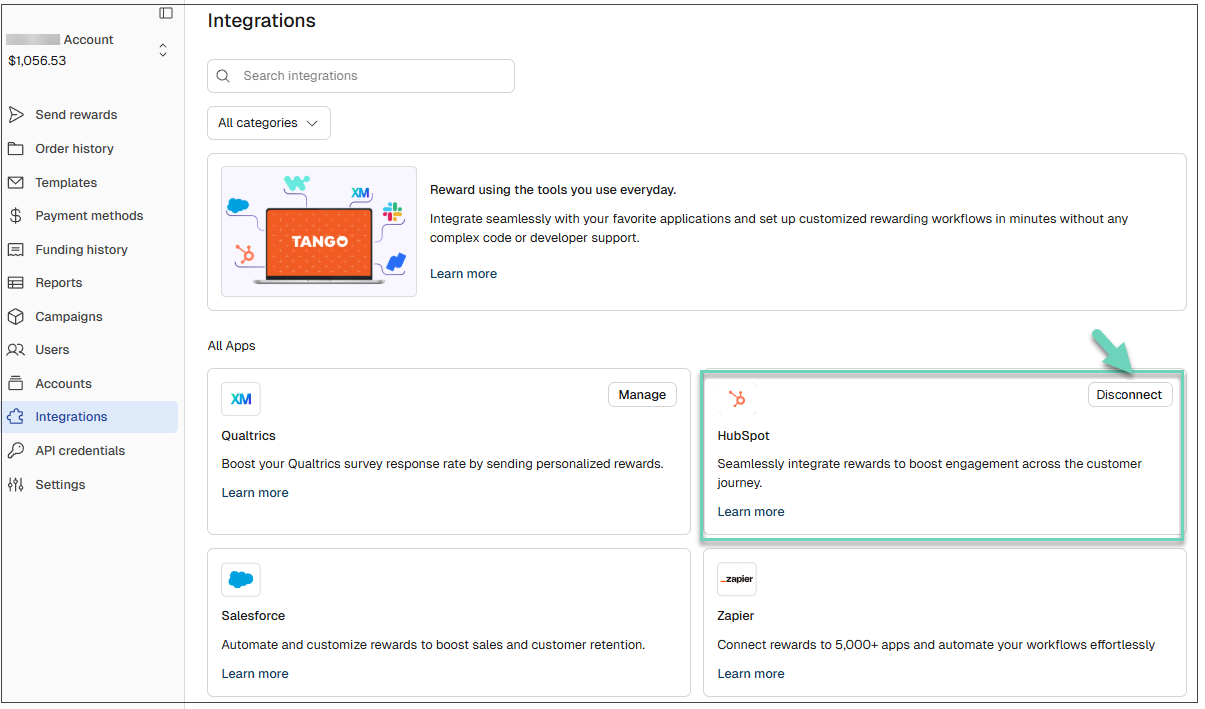
Open the integration page.
-
Go to HubSpot and click Disconnect.
The active Tango–HubSpot connection is disconnected. Tango will no longer be able to use the connection to access HubSpot or update Tango-related records until the connection is restored.
Uninstall Tango from a HubSpot account
You can fully remove the Tango app from your HubSpot account, rather than temporarily disconnecting the integration. You may want to uninstall when your team no longer plans to use Tango with HubSpot, needs to remove app access from HubSpot, or wants to clean up connected apps and related integration configuration.
To uninstall Tango from HubSpot:
-
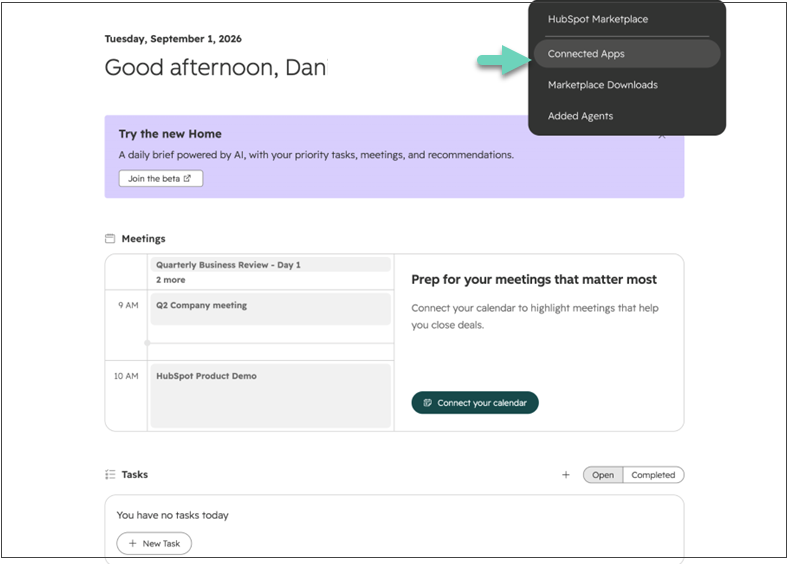
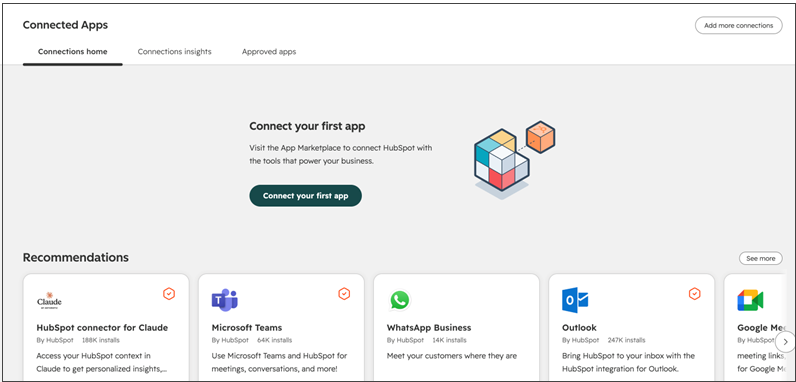
In HubSpot, open the Marketplace menu and select Connected apps.
-
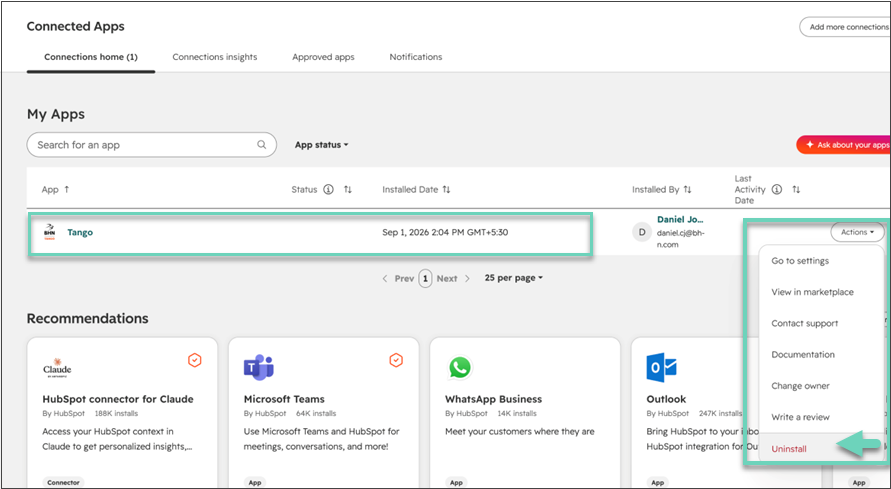
Under My apps, locate Tango.
-
Open the Actions menu for Tango and select Uninstall.
- In the confirmation dialog, type “Uninstall” in the text field.
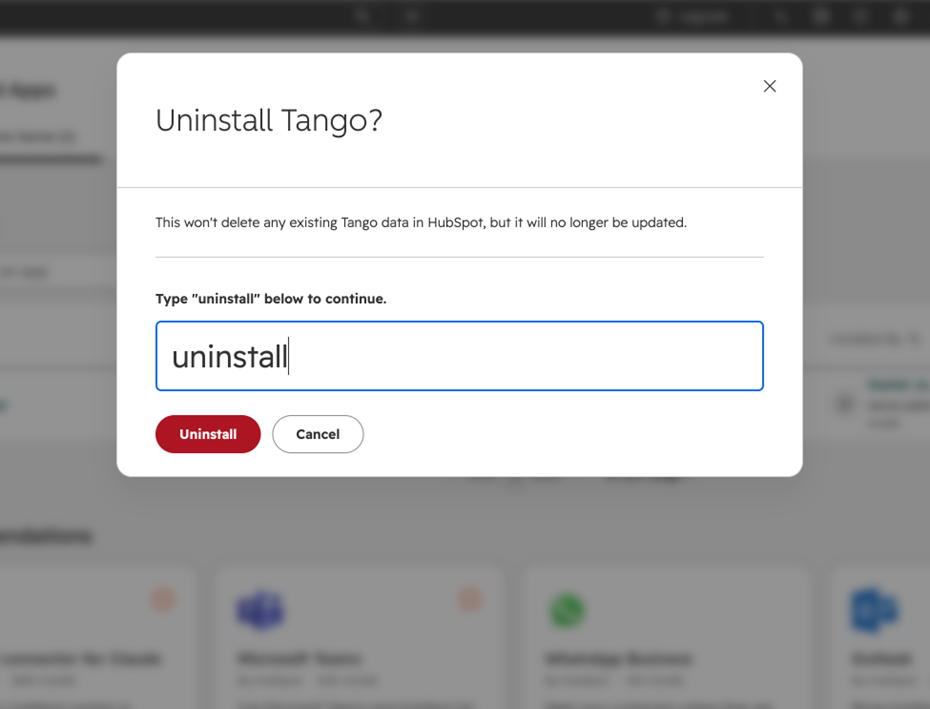
- Click Uninstall to complete the removal. Tango app is removed from your HubSpot:
More resources