To manage Qualtrics survey incentives in Tango, go to Integrations > Qualtrics > Manage in the Tango portal. From there, you can view incentive details or edit existing incentives. You must have Manage permissions for Qualtrics Incentives and the appropriate Access Level for the group/account and ETID used by the incentive.
For more information about creating incentives, see Step 2: Create a Qualtrics incentive in Tango.
Required permissions to manage incentives
You must have Manage permissions for Qualtrics Incentives in order to create or edit Qualtrics Incentives in the Tango portal. You can create or edit Qualtrics Incentives as long as you have Access Level permission to the related group/account and ETID. See Manage custom user roles in Tango for more information. See Integrations permissions in Default user roles in Tango portal.
Manage Qualtrics survey incentives in Tango
Use the Manage page for Qualtrics to see all existing Qualtrics incentives, review real-time information such as date range and remaining value, and edit incentive settings.
To view or manage Qualtrics incentives in Tango:
-
Sign in to the Tango portal with the right permission.
-
Click Integrations on the left menu.
-
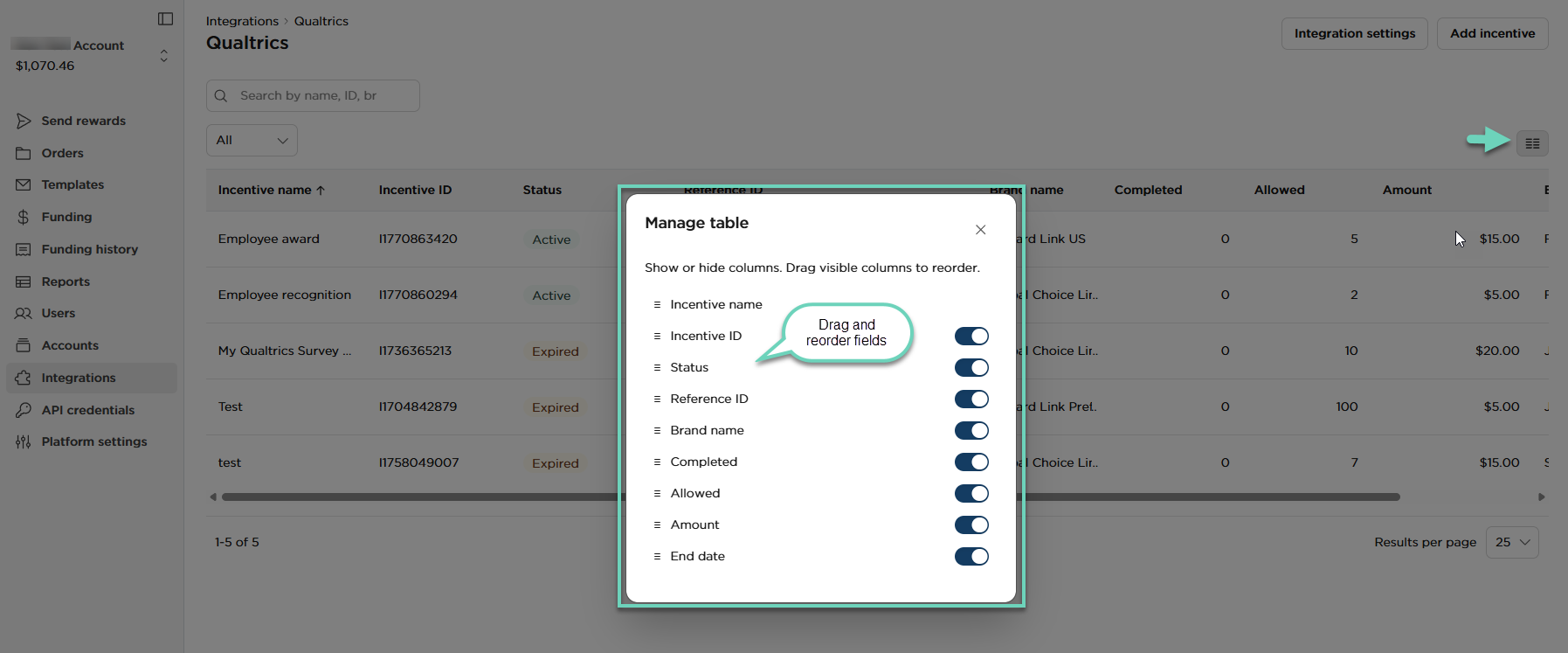
Find the Qualtrics app and click Manage. All existing Qualtrics incentives are listed on this page.
- Click hamburger menu
 to display additional information, or to drag and reorder incentives in the list.
- Click any row to view real-time information about the incentive, such as the date range and remaining value.
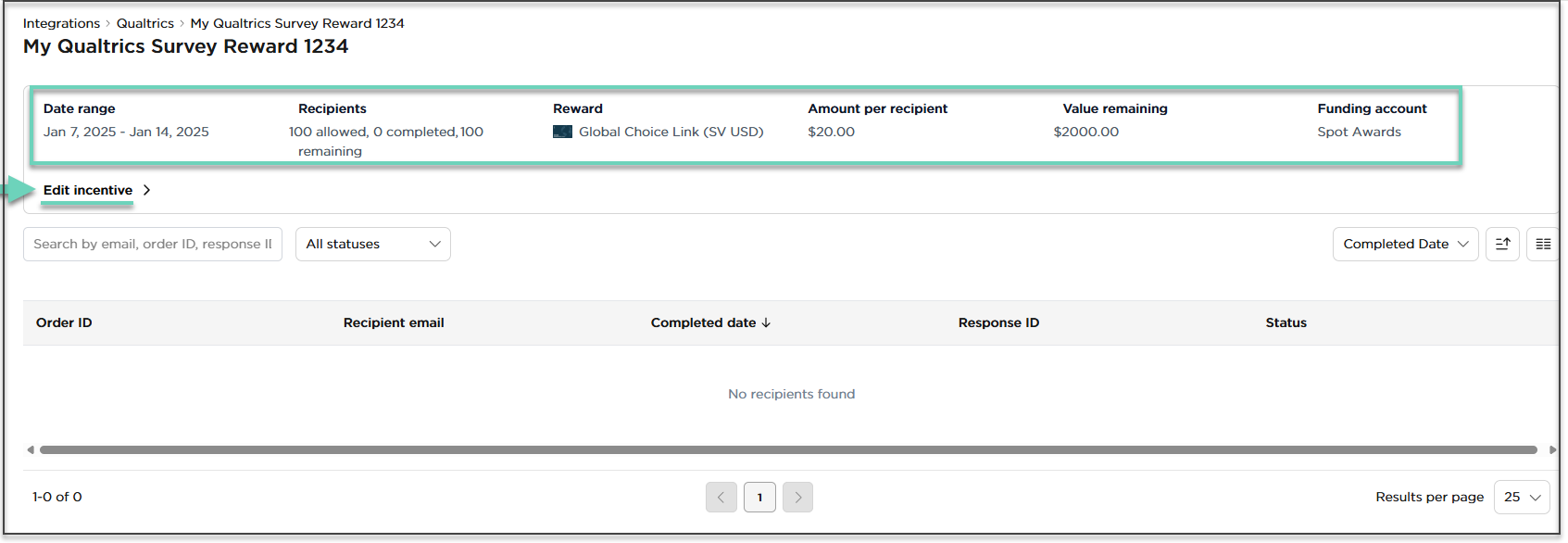
- To make changes to the incentive, click Edit Incentive. You can make changes to the same form you filled out when creating an incentive. See Step 1: Install Tango as a third-party extension in Qualtrics.
- Make your updates and click Update incentive.
What's next?
Do you wonder where to see the rewards sent through Qualtrics? You can view and manage rewards in Tango portal. Follow our instructions in Step 5: Manage rewards sent through Qualtrics surveys in Tango.
More resources