Check out our most frequently asked questions below:
Q. Which brand rewards can I send with Tango and Qualtrics integration?
The Qualtrics integration can take advantage of our Tango Choice products (Reward Link®, Promo Link, and Disbursement Link) for Qualtrics incentives. It contains a broad range of e-gift cards to please all survey participants.
Q. How can I avoid security fraud for Qualtrics incentive programs?
Fraudulent activity is on the rise. To help prevent fraudulent reward claims and protect your survey, review and implement our security best practices before enabling automated reward delivery. See Step 2: Create a Qualtrics incentive in Tango | Security best practices for Qualtrics incentive programs
Q. What’s the best way to set up the integration for my survey, which will be running across multiple countries?
In Qualtrics, Tango is configured as a Task under the Actions tab. By creating multiple Tasks, you can:
You must create each country’s unique incentive in the Tango Portal and copy the appropriate incentive code into the corresponding Qualtrics Task. Alternatively, you can offer a single Visa® USD incentive for all segments, which removes the need to create unique, country‑specific Reward Links.
Q. Can I customize the redemption catalog to only send Amazon.com gift cards or Visa USD rewards?
Yes, you can customize your rewards catalog. If you are interested in customizing the brands available through your Reward Link for a Qualtrics, see Customize Your Reward Link.
Reach out to your Customer Success Manager (CSM) or success@tangocard.com to learn about Reward Link customization options.
Q. We’re sending a survey using a contact list uploaded to Qualtrics. Is it possible to have the Tango integration send incentives to participants using the email addresses included in this list?
Yes. In the Tango Task, you can choose to send incentives by referencing a contact list previously uploaded into Qualtrics. If you choose to do so, we suggest checking with your Qualtrics representative to confirm the database is syncing correctly since Qualtrics is in the process of upgrading platforms.
Best practices:
Include a question at the end of your survey asking: “Where would you like your reward sent?” This helps ensure you have a valid email address for incentive delivery.
Q. I don’t see the Tango integration in Qualtrics. How do I activate it?
The Tango integration is available to all customers with paid Qualtrics accounts. It may not appear in free version. In some cases, your Qualtrics administrator may need to activate the integration.
Q. How do I prevent Qualtrics survey participants from getting multiple rewards?
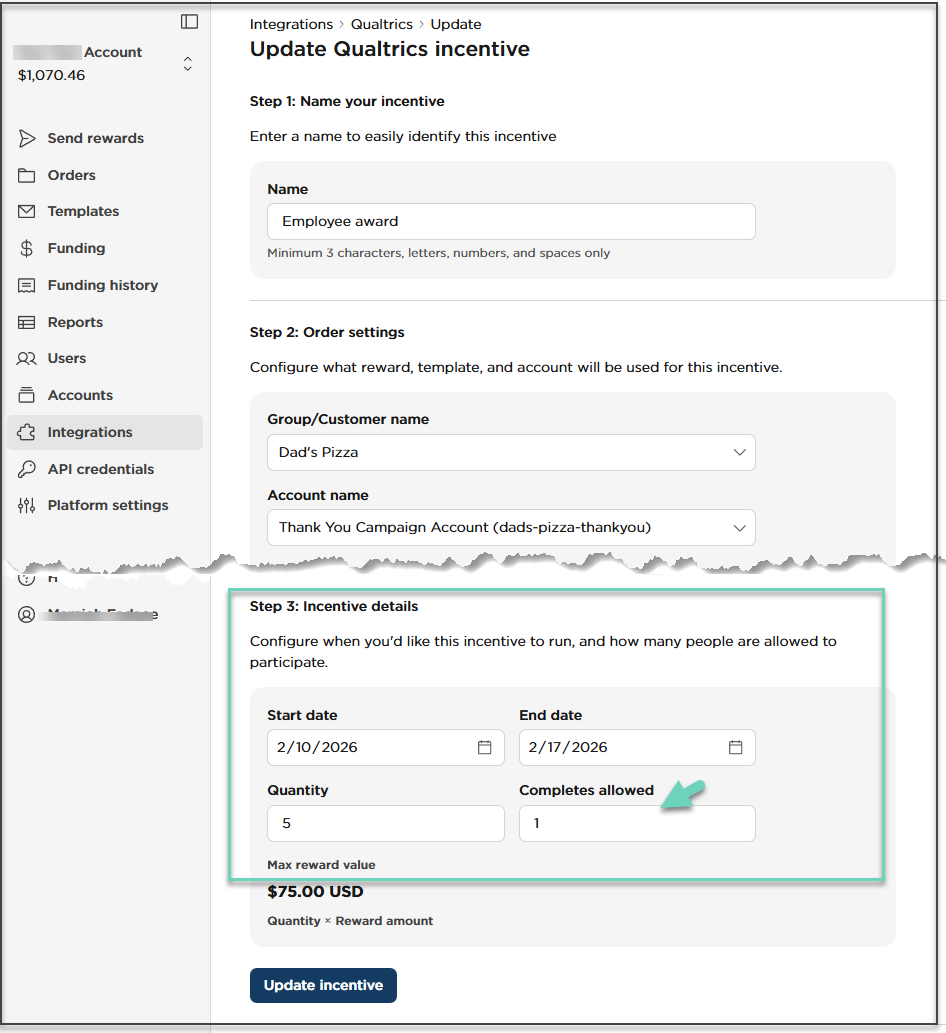
The Tango integration allows you to limit the number of incentives sent per email alias by limiting how many rewards can be sent per email address. When entering Incentive details, set Completes Allowed=1. This setting ensures each unique email address (email alias) can only trigger one reward, even if the person completes the survey or meets the criteria multiple times. The integration uses the email as the unique identifier to enforce this limit.
Best practices:
We recommend using the Start Date and End Date fields to align incentives with the duration of your survey. Rewards are only issued while the survey is live. and you reduce the risk of duplicate or unintended incentives outside the intended time window.
Q. Can I edit an incentive after my survey goes live?
Yes. You can edit an incentive at any time. If you choose to do so, note there’s no need to change the already copied code that’s entered into Qualtrics. The incentive behavior updates it in real time.
Q. How can I deliver incentives while ensuring my study remains anonymous?
Qualtrics makes it possible for you to send participants a Reward Link without an email address. Your Qualtrics administrator can provide further instructions for doing so.
Q. Will I be able to set up my integrated incentive to randomly select a single participant to receive a "raffle" incentive for this survey?
No. Qualtrics no longer supports the "raffle" feature for distributing incentives to survey participants. For further details, please contact your Qualtrics representative.
If you wish to provide incentives to a limited number of participants who complete your survey, Utilize the bulk reward feature with Tango to deliver multiple incentives simultaneously, independent of the integration. See Send rewards in bulk.
Q. Can I send Qualtrics rewards by text?
No. With the Qualtrics–Tango integration, rewards are delivered by email only.
Q. How do I know if an order came from Qualtrics?
Orders created via Qualtrics have a Reward ID that starts with QW on the Orders page.
Q. Do I manage Qualtrics rewards differently from other rewards?
No. Once an order appears in Orders, you manage Qualtrics rewards the same way you manage orders created directly in the Tango portal.
More resources