The “Tango Card by Qualtrics” task was deprecated on September 30th, 2025. To keep sending rewards, you must remove the old task and add the new “Tango by Tango” task in your Qualtrics workflow.
Step 1: Remove the old “Tango Card by Qualtrics” task
-
Log in to your Qualtrics account.
-
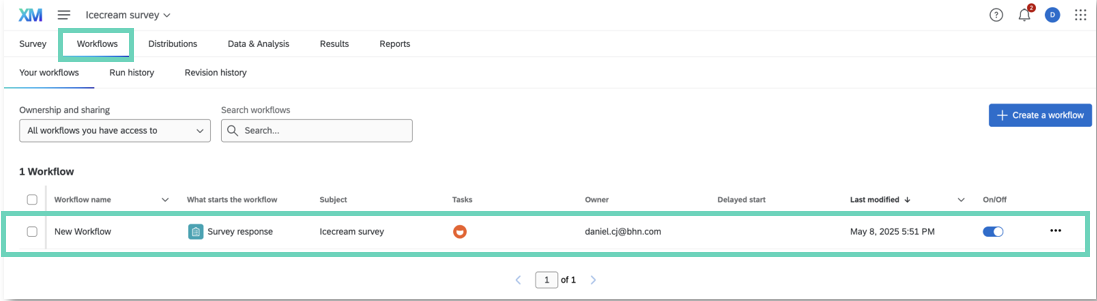
Navigate to your Survey and open the Workflow tab.
-
Locate the workflow where the “Tango Card by Qualtrics” task is used.
- In the workflow, click the three dots (...) next to the Tango task.
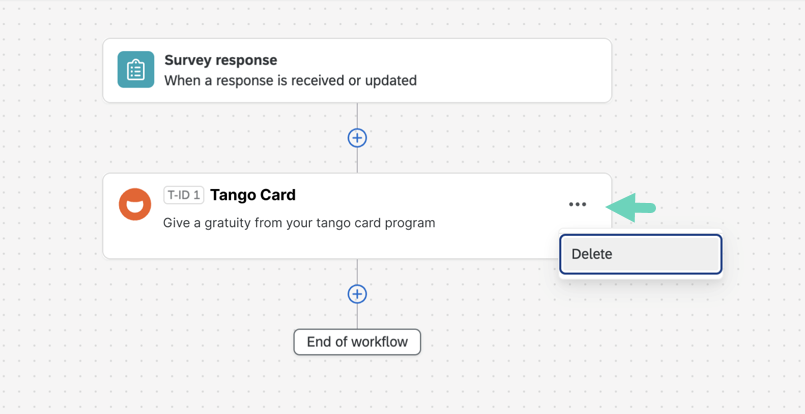
- Select Delete to remove the old integration.
Step 2: Add the new “Tango by Tango” task
-
In the workflow, click Add a Task.
-
Search for “Tango” and select Tango by Tango.
-
Enter the following information:
-
The Platform Name and API Key from your Tango Integrations settings. Look under Integrations > Qualtrics > Manage > Integration settings to find them. See Integrate with Tango.
-
The respondent email address from your survey to send rewards.
-
Your Tango Incentive Reference ID from Tango portal.
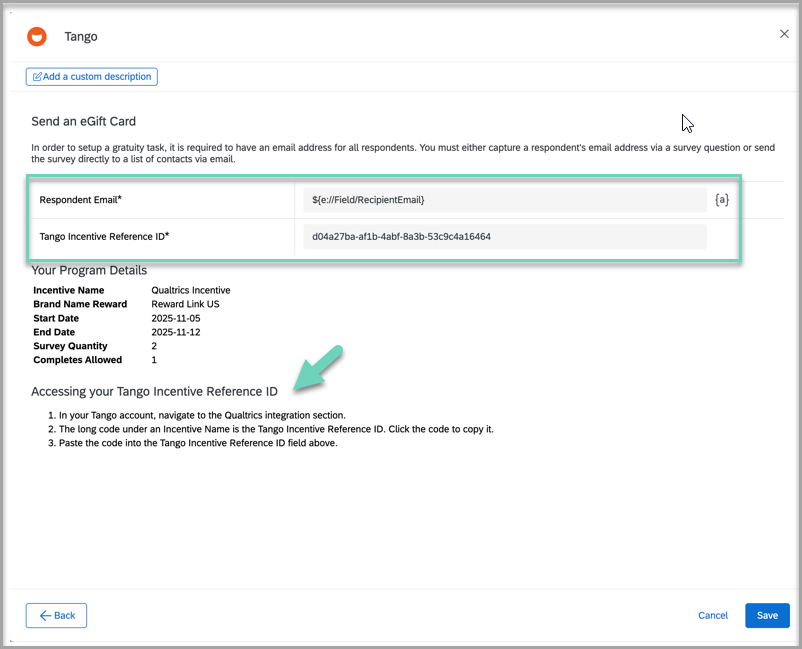
See Step 3: Connect Tango incentives to Qualtrics for detailed steps and screenshots. Once updated, your workflow will continue to send rewards without interruption.
More resources